인사이트
Commercial Space Planning Software That Help You Close Deals
by Archisketch
Every dealer and consultant knows the feeling. You've done the research, prepared the proposal, and walked the client through the plan. Then they ask for more time to think. Not because the space wasn't right. Because they couldn't picture it clearly enough to say yes.
That's not a design problem. It's a communication problem. And the right commercial space planning software solves it before you ever get to that moment.
1. Your Clients Can't Commit to What They Can't Picture
Why renders alone don't build enough confidence
A polished render can look impressive in a presentation, but if it shows a generic sofa in a neutral room with no connection to the client's actual product line or space, it does very little to move the conversation forward.
Clients aren't evaluating aesthetics. They're asking themselves: “Will this actually work in my space, with my furniture, for my team?” A beautiful image that doesn't answer that question doesn't build confidence. It creates more doubt.
The gap between a mood board and a signed contract
Mood boards set a direction. But direction isn't a decision. The gap between "this looks nice" and "let's move forward" is where most deals stall, and it's almost always because the client can't clearly see what they're committing to.
What closes that gap isn't more slides or a longer proposal. It's a visual that's specific enough to feel real: their actual space, their actual products, arranged in a way they can immediately understand and react to.
How real product visuals change the conversation
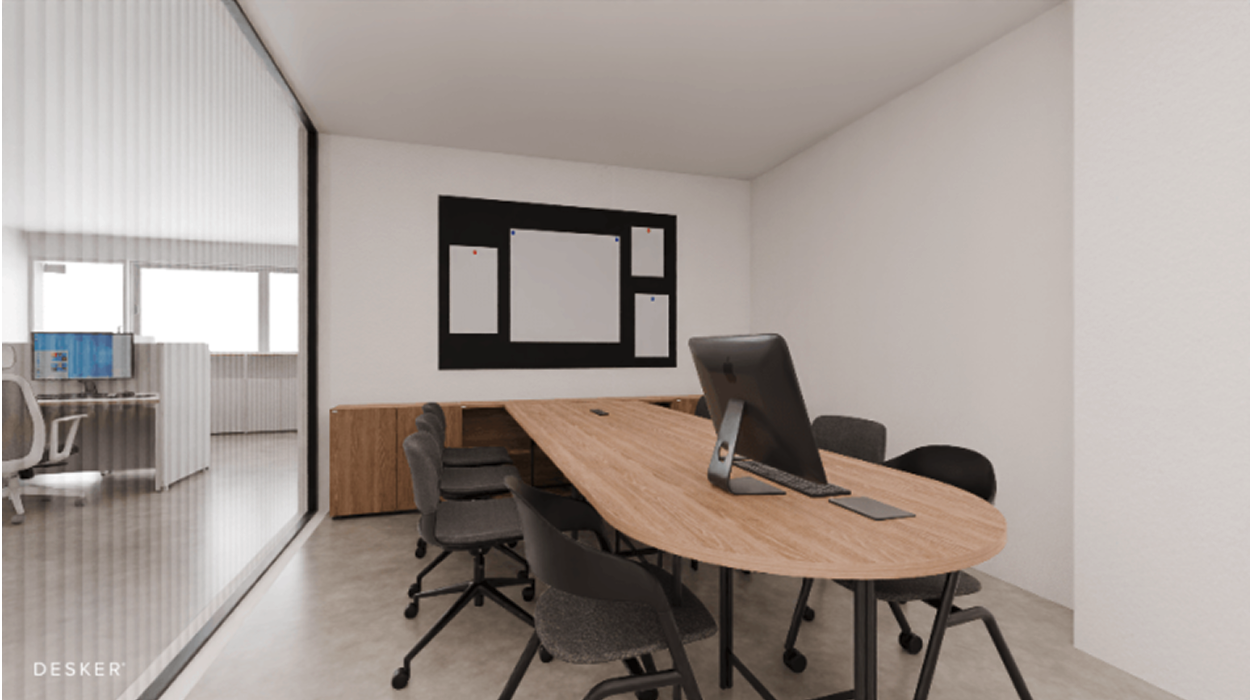
Thai is not a real office, it’s a high-resolution render (source: Desker)
When clients can see their own furniture placed in a layout that reflects their actual floor plan, the conversation shifts. Instead of "we need to think about it," you start hearing "can we move that wall unit to the left?" which means they're already planning, not deliberating.
This is where showroom design software earns its value.
When the visuals in your presentation come from a real product library rather than generic 3D placeholders, clients recognize what they're looking at. That recognition builds trust, and trust closes deals.
2. Getting Everyone to Agree is Half the Battle
Why office and clinic projects stall at the approval stage
Commercial projects, especially offices and clinics, rarely have a single decision-maker. By the time a layout reaches final approval, it's typically passed through facilities, HR, finance, and senior leadership. Each stakeholder has different priorities, and none of them speaks the same language as the designer who created the plan.
This is one of the biggest reasons office space utilization software has become essential for consultants. When the layout is presented as a flat drawing or a technical document, non-designers spend more time trying to interpret it than responding to it. Approvals slow down. Revisions multiply.
Making it easy for non-designers to say yes
The solution isn't to simplify your design. It's to simplify how the design is presented. A 3D walkthrough or a high-quality render of the proposed clinic interior design can let a medical director immediately understand how patient flow will work, without needing to read a floor plan legend.
When people can see it, they can decide. When they have to interpret it, they delay.
One visual that speaks to finance, HR, and the CEO at once
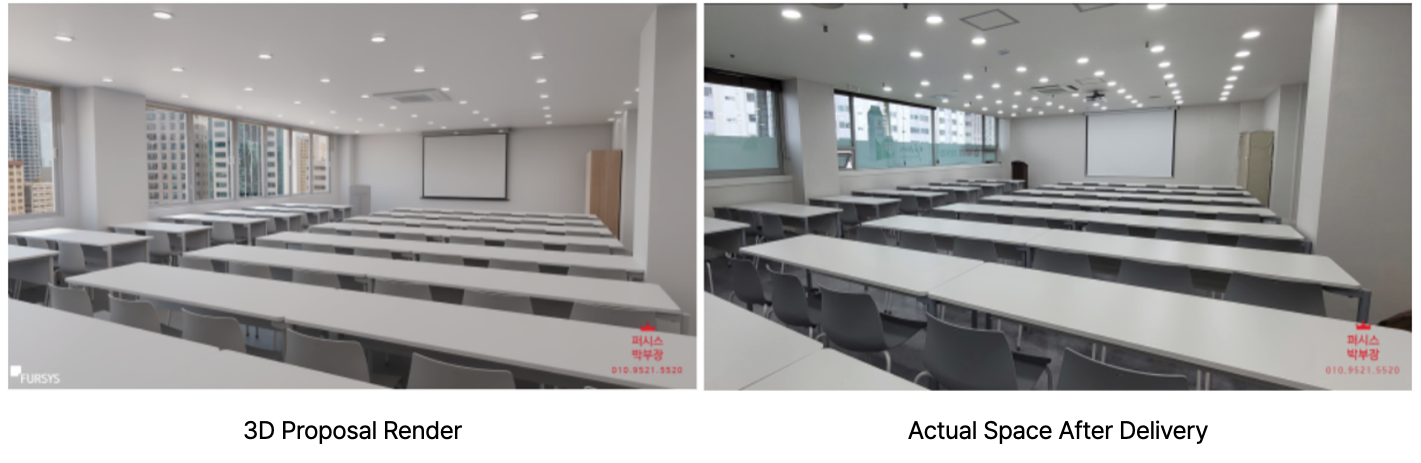
The most effective presentation tool for a multi-stakeholder project is one that doesn't require explanation. A photorealistic render of the proposed space, with actual furniture products, accurate dimensions, and realistic lighting, answers every stakeholder's core question at a glance:
Finance sees that the space is being used efficiently
HR sees that the layout supports the way teams actually work
The CEO sees a space that reflects the company's positioning
One visual. Three conversations resolved.
3. You Need Something Between a Sketch and Full BIM
What happens when the planning tool is too simple or too heavy
Most commercial space planning workflows fall into one of two traps.
Either the tool is too lightweight, a basic floor plan app that looks presentable but doesn't help anyone make a serious decision, or it's too heavy, requiring BIM-level expertise that slows down the early-stage planning process significantly.
This is a well-known frustration among interior design project management teams. Full BIM platforms like Revit are invaluable for technical documentation and construction coordination.
But using them at the pre-sales or concept stage is like using a sledgehammer to hang a picture frame. The complexity doesn't serve the conversation. It gets in the way of it. For a closer look at where heavy design tools fall short in client-facing workflows, this breakdown of SketchUp's limitations in commercial projects is worth reading.
Testing layouts before committing to construction or procurement
The most valuable thing you can do before a client signs off on a commercial project is show them exactly what they're getting, with enough realism to surface problems early, and enough flexibility to make changes quickly.
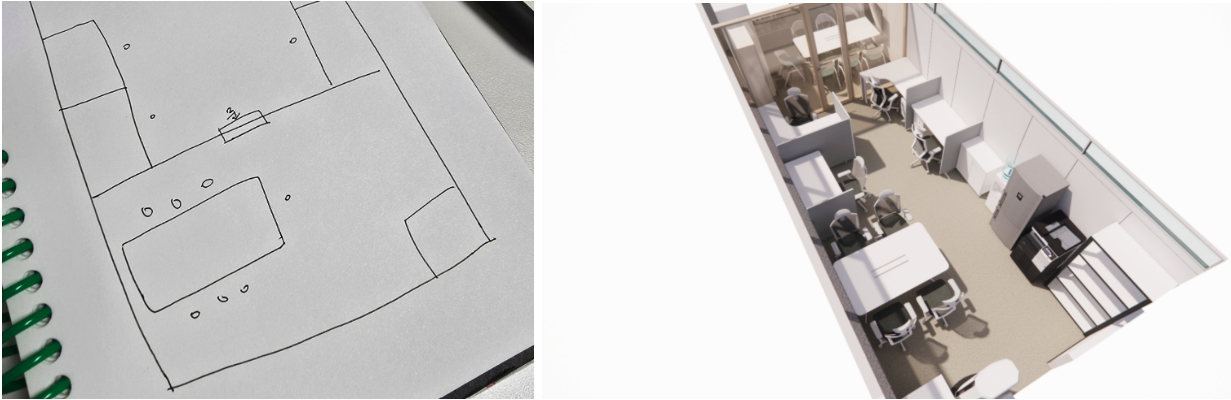
Same space, two stages: rough layout and a finished render ready for client review.
Commercial space planning software designed for this stage lets you test multiple layout configurations, swap furniture options in and out, and generate client-ready visuals without the overhead of a full technical production process.
Changes that would take days in BIM take minutes here. See how office furniture layout planning works in practice with Archisketch.
How commercial space planning software fits into your existing workflow
Good software for interior design business doesn't replace the tools you already use. It fits in between them. It lives in the gap between the initial brief and the detailed design phase, giving you a way to align with clients visually before anyone commits time or budget to technical production.
Think of it as the stage where decisions get made, so that by the time you hand off to BIM or procurement, there are no surprises. Here's how to get started with Archisketch if you're new to the platform.
4. What to Look for in Commercial Space Planning Software
Real furniture libraries vs. generic 3D objects
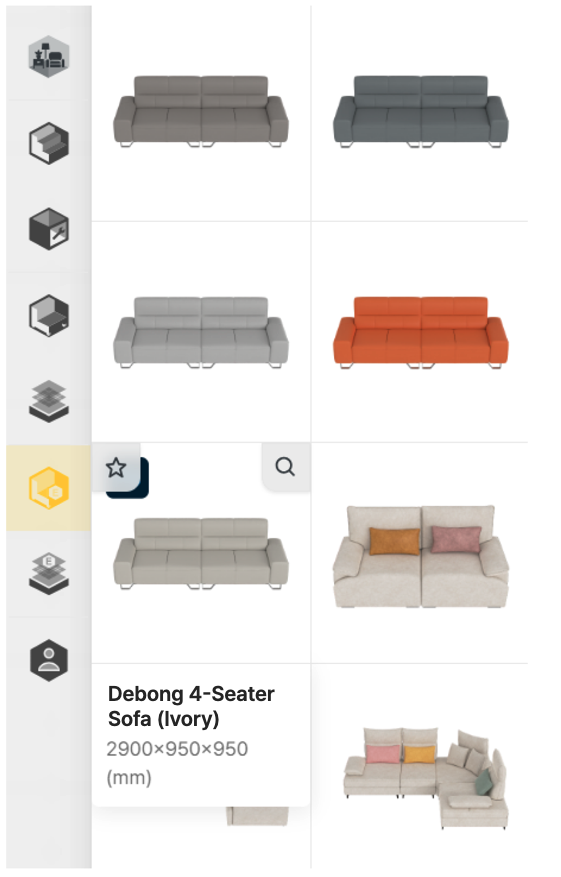
The same sofa, all colorways. All visible before a single purchase decision is made.
The difference between a convincing presentation and a forgettable one often comes down to whether the furniture in the render looks like something the client could actually buy. Generic 3D objects are fine for blocking out space, but they don't sell.
Look for software that connects to real product libraries. When the sofa in the render is the same one on the client's shortlist, the visual stops being a simulation and starts being a preview of what they're investing in.
Client-facing output quality
Not all renders are created equal. For commercial clients, especially at the mid-to-senior decision-making level, the quality of the visual signals the quality of the service. Pixelated previews and flat lighting don't create confidence.
Prioritize tools that can generate high-resolution outputs, ideally with panoramic or walkthrough options, that you can hand directly to a client without additional post-production.
Speed from brief to presentation
In competitive pitches, turnaround time matters. If it takes three days to produce a presentable layout, you lose the ability to respond to client feedback quickly, and fast response time is one of the most reliable ways to differentiate your service.
The best commercial space planning tools are designed to move fast: from a rough brief to a presentation-ready visual in hours, not days.
5. Close Faster Across Every Space Type
Offices and corporate fit-outs
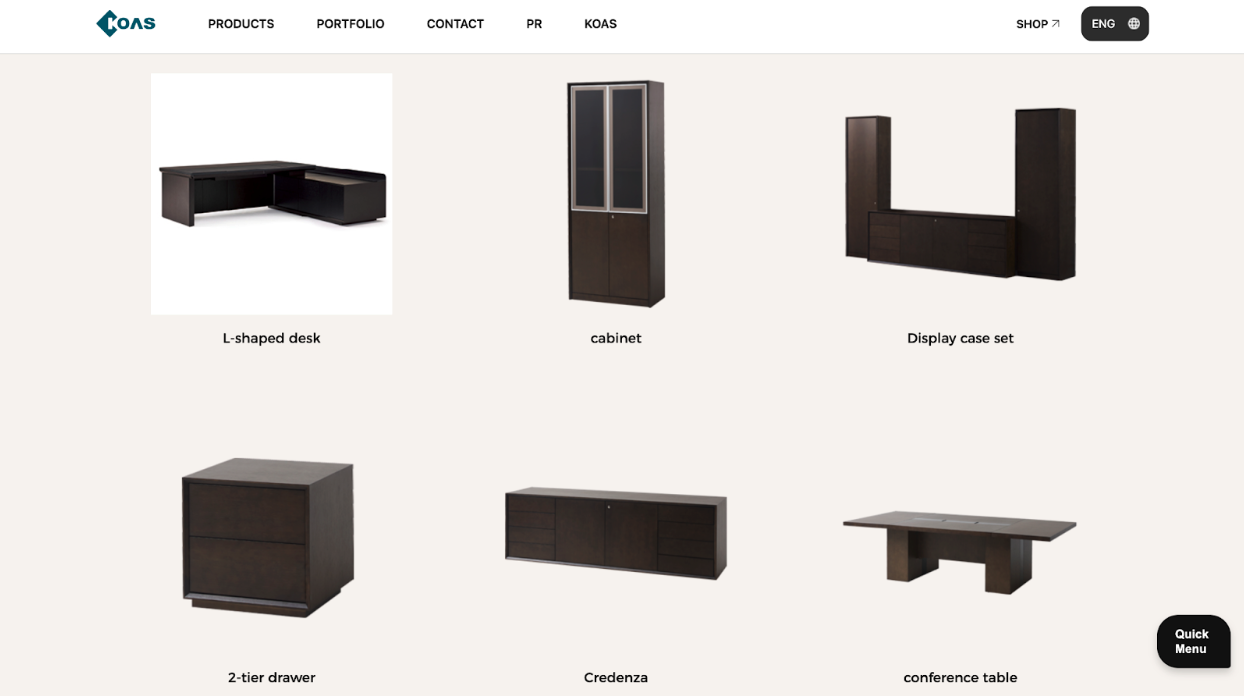
The full office lineup, laid out before day one. No surprises on delivery.
Corporate clients are making significant investments in their physical workspaces, and they need to see exactly what they're getting before they commit.
Whether it's a full headquarters redesign or a satellite office fit-out, 3D visualization at the planning stage reduces back-and-forth, speeds up approvals, and protects everyone from costly surprises at the construction phase.
Showrooms and retail floors
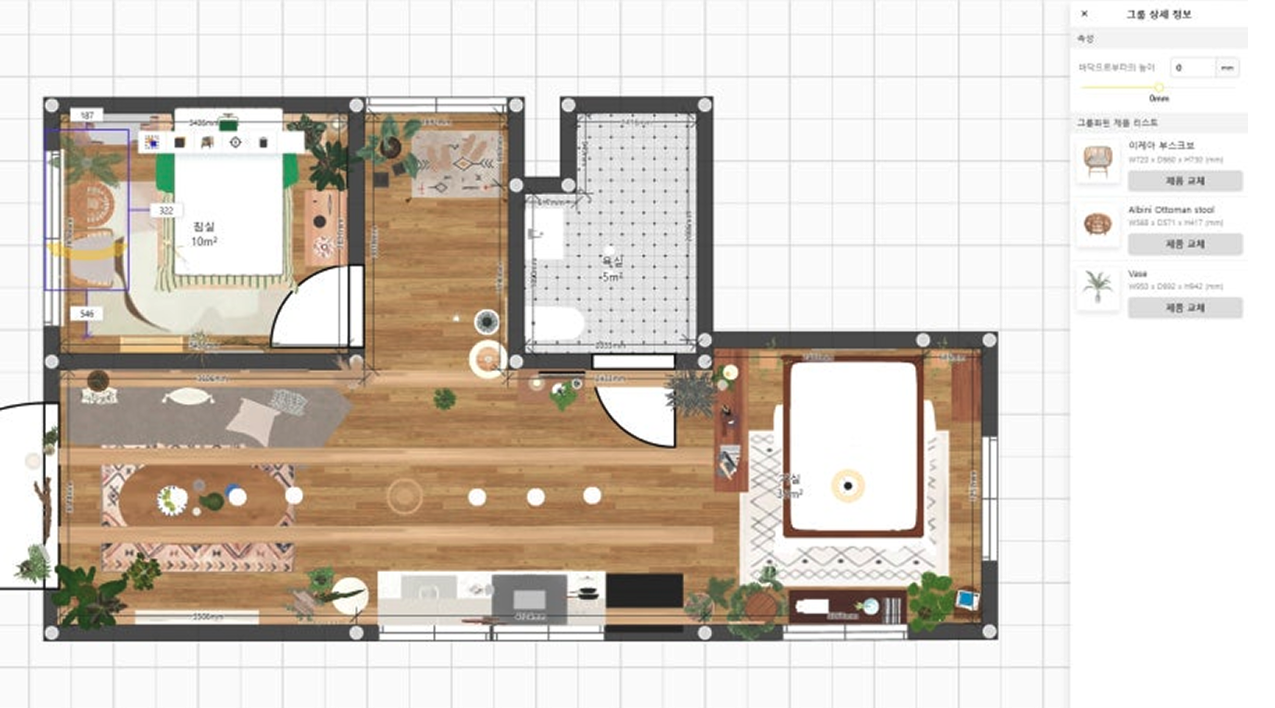
Showroom projects are inherently visual, which means clients have high expectations for how the final space will look and feel. Being able to show a photorealistic render of the showroom layout, with real product placements and accurate lighting, is often the difference between winning the brief and being asked to revise it.
Clinics, Studios, and Every Space in Between
Beyond offices and retail, commercial space planning software applies equally well to clinics, creative studios, hotel lobbies, and event spaces. Any environment where layout decisions have a direct impact on how people move through and experience the space. In these contexts, the ability to visualize the space before construction begins isn't a luxury. It's a risk management tool.
Ready to Close Faster With Better Visuals?
See how Archisketch helps dealers and consultants visualize offices, showrooms, and retail spaces: with real furniture, high-quality renders, and zero BIM complexity.
Archisketch
Fast, Easy, Reliable
share this post